As a supplier in the thermal imaging industry, I’ve witnessed firsthand the transformative power of thermal imaging technology across various sectors. Thermal imaging analysis is a crucial process that allows us to extract valuable information from thermal images, enabling informed decision – making in fields such as building inspection, electrical maintenance, and industrial process monitoring. In this blog, I’ll explore the software used for thermal imaging analysis, highlighting their features, applications, and benefits. Thermal Imaging

FLIR Tools
One of the most well – known software solutions for thermal imaging analysis is FLIR Tools. Developed by FLIR Systems, a leading manufacturer of thermal imaging cameras, FLIR Tools offers a comprehensive set of features for both novice and professional users.
Features
- Image Editing: FLIR Tools allows users to adjust the temperature range, color palette, and emissivity of thermal images. This helps in enhancing the visibility of details and making the images more interpretable.
- Measurement Tools: The software provides a variety of measurement tools, including spot measurements, area measurements, and isotherms. These tools enable users to accurately measure the temperature of specific points or areas in the thermal image.
- Report Generation: FLIR Tools simplifies the process of creating professional reports. Users can add text, images, and measurement data to the report, which can be exported in various formats such as PDF, Word, and Excel.
Applications
- Building Inspection: In building inspection, FLIR Tools can be used to detect heat loss, moisture intrusion, and electrical faults. By analyzing thermal images, inspectors can identify areas of concern and recommend appropriate repairs.
- Electrical Maintenance: For electrical maintenance, the software helps in detecting overheating components in electrical systems. This allows maintenance personnel to take preventive measures before a major failure occurs.
- Industrial Process Monitoring: In industrial settings, FLIR Tools can be used to monitor the temperature of machinery and equipment. This helps in ensuring optimal performance and preventing downtime.
ThermaCAM Researcher
ThermaCAM Researcher is another powerful software for thermal imaging analysis. It is designed for in – depth research and analysis of thermal data.
Features
- Advanced Analysis: ThermaCAM Researcher offers advanced analysis capabilities, such as time – series analysis, spectral analysis, and 3D visualization. These features allow researchers to gain a deeper understanding of the thermal behavior of objects.
- Data Export: The software supports the export of thermal data in various formats, including CSV, MATLAB, and Excel. This makes it easy to integrate the data with other analysis tools.
- Customizable Interface: ThermaCAM Researcher has a customizable interface, allowing users to arrange the tools and windows according to their preferences.
Applications
- Scientific Research: In scientific research, ThermaCAM Researcher is used to study the thermal properties of materials, biological organisms, and environmental phenomena.
- Product Development: For product development, the software helps in analyzing the thermal performance of new products. This allows engineers to optimize the design and improve the efficiency of the products.
- Military and Defense: In military and defense applications, ThermaCAM Researcher is used for target detection, surveillance, and thermal signature analysis.
IRBIS
IRBIS is a versatile software for thermal imaging analysis that offers a wide range of features for different applications.
Features
- Real – Time Analysis: IRBIS provides real – time analysis of thermal images, allowing users to monitor the temperature changes in real – time. This is particularly useful in applications where immediate action is required.
- Alarm Function: The software has an alarm function that can be set to trigger when the temperature exceeds a certain threshold. This helps in alerting users to potential problems.
- Multi – Camera Support: IRBIS supports multiple cameras, allowing users to analyze thermal images from different sources simultaneously.
Applications
- Firefighting: In firefighting, IRBIS can be used to detect hot spots and monitor the spread of fire. This helps firefighters to make informed decisions and take appropriate actions.
- Agriculture: For agriculture, the software can be used to monitor the health of crops by analyzing the thermal images. This allows farmers to detect diseases and pests early and take preventive measures.
- HVAC Systems: In HVAC systems, IRBIS helps in detecting leaks and inefficiencies. By analyzing the thermal images, technicians can identify areas where the system is not performing optimally and make the necessary adjustments.
Zenmuse Thermal SDK
For those using drones equipped with thermal cameras, the Zenmuse Thermal SDK is a valuable software tool. It provides developers with the ability to create custom applications for thermal imaging analysis.
Features
- Customization: The Zenmuse Thermal SDK allows developers to customize the functionality of the thermal camera. This includes adjusting the image settings, adding custom measurement tools, and integrating with other systems.
- Data Streaming: The software supports real – time data streaming from the thermal camera to the ground station. This enables users to monitor the thermal images in real – time and make quick decisions.
- Compatibility: The Zenmuse Thermal SDK is compatible with a wide range of drones and operating systems, making it easy to integrate into existing workflows.
Applications
- Mapping and Surveying: In mapping and surveying, the Zenmuse Thermal SDK can be used to create thermal maps of large areas. This helps in identifying areas of interest, such as heat sources or areas with abnormal temperature patterns.
- Wildlife Monitoring: For wildlife monitoring, the software can be used to track the movement and behavior of animals. By analyzing the thermal images, researchers can gain insights into the ecological habits of the animals.
- Search and Rescue: In search and rescue operations, the Zenmuse Thermal SDK can be used to detect the heat signatures of survivors. This helps in locating people in difficult – to – reach areas.
Choosing the Right Software
When choosing software for thermal imaging analysis, several factors need to be considered.
User Skill Level
If you are a novice user, you may want to choose software with a user – friendly interface and basic features. On the other hand, if you are a professional or a researcher, you may need software with advanced analysis capabilities.
Application Requirements
Different applications have different requirements. For example, if you are using thermal imaging for building inspection, you may need software with features such as report generation and measurement tools. If you are using it for scientific research, you may need software with advanced analysis and data export capabilities.
Compatibility
It is important to ensure that the software is compatible with your thermal imaging camera. Some software may only work with specific models or brands of cameras.
Cost
The cost of the software is also an important factor. Some software is available for free, while others require a license fee. You need to consider your budget and the features you need when making a decision.
Conclusion
Thermal imaging analysis software plays a crucial role in extracting valuable information from thermal images. Whether you are a building inspector, an electrical maintenance technician, a researcher, or a drone operator, there is a software solution that can meet your needs. By choosing the right software, you can enhance the accuracy and efficiency of your thermal imaging analysis, leading to better decision – making and improved outcomes.
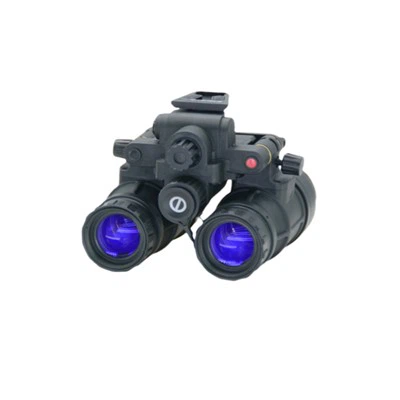
If you are interested in learning more about thermal imaging technology or are looking to purchase thermal imaging cameras and software, I encourage you to reach out to me. I’m here to help you find the best solutions for your specific requirements. Let’s start a conversation about how thermal imaging can benefit your business.
Night Vision Goggles References
- FLIR Systems. FLIR Tools User Manual.
- Fluke Corporation. ThermaCAM Researcher Product Documentation.
- Jenoptik. IRBIS Software Brochure.
- DJI. Zenmuse Thermal SDK Developer Guide.
Shenzhen Detyl Optoelectronics Co., Ltd.
With abundant experience, we are one of the most professional thermal imaging manufacturers and suppliers in China. Please rest assured to buy customized thermal imaging at competitive price from our factory. For pricelist and quotation, contact us now.
Address: 4th Floor, Building 3, Factory, No. 20, Second Industrial Avenue, Tangxiayong Community, Yanluo Street, Bao’an District, Shenzhen
E-mail: sales@detyl.com
WebSite: https://www.detyl.net/
